
Menu
Look closer. Practice with purpose.
Photography Learning Center
Explore 60 practical photography lessons: the original 20 photograph-led studies plus 40 focused guides for beginner, intermediate and experienced photographers. Study, practice, and check your understanding as you go.
New to photography? Start with Photography Concepts for the fundamentals. Choose a lesson below to explore further.
01 · Reading a Photograph
Learning Center · Visual analysis
Reading a Photograph
A practical method for separating observation from inference, understanding how a frame is organized, and turning what you notice into better photographic decisions.
A repeatable way to read a photograph
Start with what is visibly present before trying to explain how the photograph was made. Separate observation from inference. A photograph can suggest a fast shutter, shallow depth of field, long focal length, or heavy editing, but appearance alone does not prove the camera settings or workflow.
- Subject: What receives attention first, and what supports it?
- Light: Where is the light coming from, and what does it reveal or hide?
- Geometry: What lines, shapes, layers, and edges organize the frame?
- Timing: Is there a decisive gesture, changing light, or moving subject?
- Background: Does it simplify the subject or compete with it?
- Color & tone: Where do contrast and visual weight concentrate?
- Technical clues: What can be described without pretending to know unrecorded settings?
- Interpretation: What feeling or idea emerges after the visible facts are established?
Practice rule: do not invent a location, date, identity, focal length, aperture, shutter speed, ISO, or editing step when the photograph or metadata does not establish it.

Case study: separate the sky from the land
The warm evening sky carries much of the visual energy while the barn and landscape create a darker anchor. Ask which highlight detail matters, whether the horizon placement strengthens the scene, and how the foreground supports the color above it.

Case study: color, reflection, and background
The blue bodywork and polished surfaces naturally attract attention. Look at how reflections describe shape, how the camera position affects the car's proportions, and whether surrounding details help establish place or distract from the subject.

Case study: timing under stage light
Performance photography combines gesture, changing light, dark backgrounds, and motion. Study the relationship between the performer and the brightest stage areas. Consider what moment makes the frame readable even without knowing the exact exposure settings.
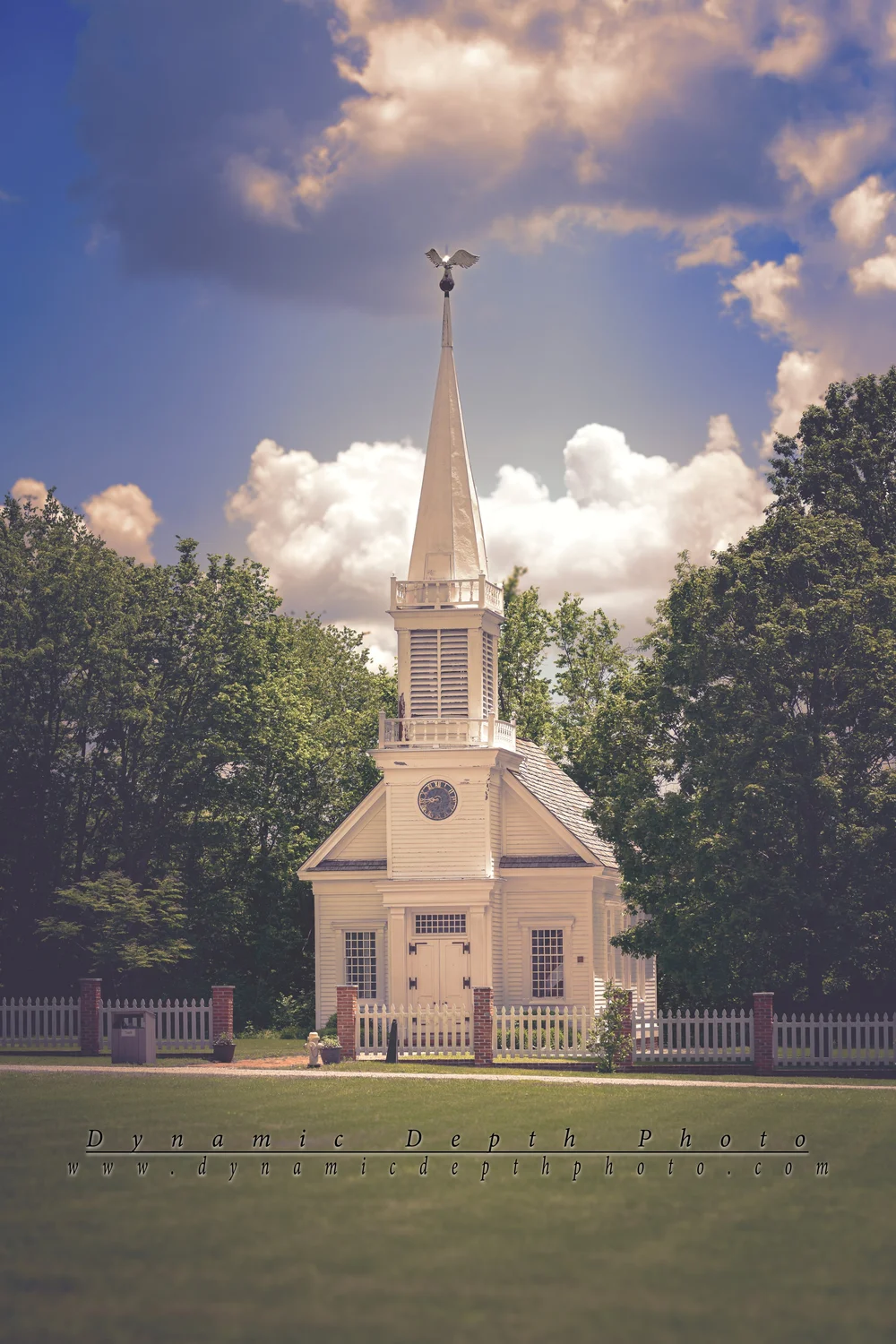
Case study: bright subject, bright sky
A white structure beneath luminous clouds creates competing bright areas. Look for tonal separation at the roofline and edges, then consider how cloud detail and building detail share attention. Editing should clarify that relationship without making the scene look internally inconsistent.
From reading to making
After analyzing a photograph, turn one observation into a shooting decision: move your position, wait for different light, simplify the background, change the moment you press the shutter, or change exposure to protect the detail that matters most. Analysis is useful only when it improves the next photographic choice.
02 · Lenses & Perspective
Learning Center · Optics and viewpoint
Lenses & Perspective
Understand the difference between field of view, camera position, working distance, and the visual relationships often described as perspective or compression.
Perspective begins with camera position
Lens choice changes field of view, but perspective relationships are controlled primarily by where the camera is placed. If you change focal length and then move to keep the subject the same size in the frame, the new camera position changes the apparent relationship between near and far objects.
Wide field of view
A wider view can include more environment and often encourages a closer camera position. Close foreground objects can appear especially prominent relative to distant objects.
Narrow field of view
A narrower view isolates a smaller portion of the scene and often encourages working farther away. That greater distance can make near and far subjects appear closer in size to one another.
Working distance
Before blaming a lens for “distortion” or “compression,” ask where the camera was. Make comparison photographs from the same position, then make another set where you move to keep the subject size constant.
Background control
Focal length, aperture, focus distance, subject distance, and background distance all affect how a background is rendered. No single setting acts alone.
Study the car's proportions
Without claiming the lens used, examine how the nearest bodywork compares with the far end of the vehicle. Imagine moving much closer with a wider view, then farther away with a narrower view while keeping the car similarly sized in the frame.
Study layers in the landscape
Identify foreground, subject, horizon, and sky as separate depth layers. Consider how a change in camera position—not merely focal length—would alter overlaps and the apparent spacing of those layers.
Field assignment
Photograph one stationary subject from one position at two focal lengths without moving. Then make a second pair in which you move closer or farther so the subject stays about the same size. Compare field of view separately from perspective. Record only settings you can verify from the file metadata or your notes.
03 · Color & Black and White
Learning Center · Color and tone
Color & Black and White
Learn to decide when color is essential to the photograph and when shape, texture, light, and tonal relationships can carry the image without it.
Color is information
Color can identify a subject, separate foreground from background, establish visual emphasis, or carry the mood of the scene. Converting a photograph to black and white removes hue information, so the image must rely more heavily on brightness relationships, shape, texture, gesture, and edge contrast.
A monochrome preview is not automatically an improvement. The question is whether color contributes meaning that would be lost, or whether tonal structure becomes clearer without it.
Compare color with a reversible monochrome simulation
The controls below change only how the browser displays the example. They do not modify or replace the original photograph.
Color relationships
Look for warm/cool contrast, repeated colors, small saturated accents, and large neutral areas. Saturation is not the same thing as importance; a small color accent can carry more attention than a large muted region.
Monochrome relationships
In black and white, similar-brightness colors may collapse into nearly the same tone. Strong hue contrast can disappear, while texture, geometry, and light direction may become more obvious.
Conversion choices
A serious black-and-white conversion may interpret different colors as different gray values. This lesson's browser grayscale is intentionally simple so it does not pretend to be a finished artistic conversion.
Editing discipline
Judge color and monochrome versions at the intended viewing size. Avoid pushing contrast merely to make a conversion look dramatic; preserve important texture and highlight/shadow information.
04 · Field Practice
Learning Center · Assignments
Field Practice
A set of controlled shooting exercises that turn the concepts on the site into repeatable practice, without requiring special equipment.
Five assignments that isolate one decision at a time
These exercises are designed to produce comparisons you can actually learn from. Keep notes, change one major variable at a time when possible, and compare at the final display size—not only at extreme zoom.
1 · Position before settings
Choose a still subject. Make five photographs by changing only camera position: higher, lower, left, right, and closer. Decide which position best controls overlaps and background distractions.
2 · Motion intention
Photograph repeated movement with a short, medium, and longer exposure time. Compare what information is gained or lost when motion changes from crisp to expressive blur.
3 · Background distance
Keep the subject approximately the same size while increasing the distance between subject and background. Observe how separation changes before reaching for stronger blur in editing.
4 · Light direction
Use one still subject and compare front, side, and back light. Describe changes in texture, shape, color, shadow, and background—not whether one is universally “best.”
5 · One scene, two intentions
Make one frame that documents the scene clearly and another that interprets it more expressively. Write down which decisions changed and which facts about the scene remained the same.
Review · What did the viewer notice?
For each assignment, identify what draws the eye first, what distracts, and whether the chosen technique supports the subject. Use those observations to plan the next attempt.
Motion and timing reference
Use the performance photograph as a prompt to think about gesture, light changes, and the balance between movement and readable detail. Do not reverse-engineer exact shutter speed from appearance alone.
Contrast and highlight reference
Use the bright building and clouds as a prompt for protecting important highlight detail while keeping enough shadow structure to describe the scene.
Keep a field log
For each exercise, record the date, subject, verified settings, what you intended, what changed, and what you would test next. A useful log separates what the camera recorded from what you remember or infer later.
05 · Historical Subjects & Visual Storytelling
Learning Center · Research and context
Historical Subjects & Visual Storytelling
Combine careful observation, verified identification, location discipline, sourced history, and deliberate visual storytelling without blurring documentation and interpretation.
Photograph what is there; research what it means
Historical photography becomes more useful when the visual record and the historical explanation are kept distinct. The camera records the monument, landscape, inscription, condition, light, and surroundings visible at the time. Names, dates, unit histories, commemorative meanings, and battlefield relationships come from research and should be sourced accordingly.
1 · Observe
Record the visible subject carefully. Include inscriptions or contextual views when they help identification, but do not let a desired story force an identification that the image does not support.
2 · Identify
Match the subject against reliable records. Treat a tentative identification as tentative until the evidence is sufficient.
3 · Locate
Use verified coordinates, metadata, or an owner-confirmed pin. Do not turn approximate memory into an exact map point.
4 · Explain
Write the history separately from the photograph caption and attach citations to factual historical claims. Distinguish documented facts from interpretation.

Example workflow: Louisiana State Monument at Gettysburg
The Louisiana State Monument offers a useful example: compare the photograph’s visible details with the monument’s sourced history, then distinguish the monument’s location from the photographer’s viewpoint.
Caption versus history
A caption can identify what the photograph shows and where it is, when verified. A history section can then explain the monument or event with cited sources. Keeping those roles separate makes it easier to correct research without rewriting what the photograph itself visibly shows.
Ethical and practical limits
Do not trespass, expose sensitive locations unnecessarily, move artifacts, stage documentary scenes without disclosure, or invent a story to make an image more compelling. When a location or identity is uncertain, hold it from the mapped/history system until it can be verified.
06 · Low Light & Long Exposure
Learning Center · Advanced Study
Low Light & Long Exposure
Balance subject motion, camera stability, highlight protection, depth of field, and noise when light levels make every exposure choice more consequential.
Low light is a decision problem, not a single setting
When light levels fall, the camera still has to balance exposure time, aperture, and ISO against the needs of the subject. The best compromise depends on whether the subject moves, whether the camera is supported, how much depth of field matters, and which highlight areas must retain detail.
Decide what must stay sharp
Subject motion and camera motion are different problems. A tripod can steady the camera, but it cannot freeze a moving performer, animal, vehicle, or tree branch.
Protect important highlights
Small bright lights can clip while the rest of the frame is dark. Decide which bright areas contain important information rather than trying to preserve every light source equally.
Use ISO deliberately
Higher ISO can support a shorter exposure time or narrower aperture. Judge noise at the intended output size and compare it against the cost of motion blur or lost depth of field.
Stabilize when time becomes the creative variable
For a still subject, a stable camera can let you extend exposure time without raising ISO as aggressively. Use a timer, remote release, or careful shutter technique when touching the camera would add movement.
Moving subject under artificial light
A stage performance is a useful reminder that low light does not always permit a long exposure. Gesture and motion may require a shorter exposure time even when that means accepting higher ISO or a wider aperture.
Still scene near the edge of daylight
A landscape can permit a different compromise because the primary subject may be relatively still. Compare the need for sky detail, foreground detail, depth of field, and camera stability rather than applying the same strategy used for a performer.
Long-exposure assignment
Choose a safe, stationary scene and make a supported sequence with progressively longer exposure times while compensating with aperture or ISO. Record the actual settings from metadata. Compare highlight detail, noise, moving elements, and overall sharpness. Do not assume the longest exposure is automatically the best one.
07 · Panoramas & Difficult Contrast
Learning Center · Advanced Study
Panoramas & Difficult Contrast
Plan overlapping frames, control exposure consistency, manage perspective/parallax, and preserve believable tonal transitions in wide or high-contrast scenes.
When one frame cannot hold the scene
A panorama is more than a wide crop. A multi-frame panorama combines overlapping photographs into one larger field of view. Consistency across frames—exposure, focus, white balance, camera level, and overlap—usually matters more than making any single frame dramatic.
Overlap generously
Give the software repeated visual information between frames. Featureless sky, moving water, repeating patterns, and close foreground objects can make stitching more difficult.
Keep the camera controlled
Level the camera when practical and rotate smoothly. Very close foreground elements make parallax errors more noticeable, especially when the camera rotates around a point far from the lens's entrance pupil.
Hold exposure relationships steady
Large brightness shifts between frames can create visible seams. Manual exposure and fixed white balance can improve consistency once you have chosen settings appropriate for the brightest important area.
Leave room to crop
Stitched edges are rarely perfectly rectangular. Compose with extra space around important subjects so the final crop does not cut through the scene.
Difficult contrast
Bright sky and darker land illustrate a separate challenge: the scene may exceed what one exposure can comfortably hold. First decide what detail matters; then consider exposure compromise, graduated control in post-processing, or a carefully bracketed sequence if the scene is still enough.
Edge and tonal consistency
Bright architectural surfaces against textured clouds show why edge detail and local contrast need restraint. Panorama/HDR techniques should preserve believable transitions rather than producing halos around buildings or horizons.
Panorama assignment
From a safe public location, make a three-to-five-frame horizontal sequence with roughly one-third overlap. Keep focus, exposure, and white balance consistent. Stitch a derivative copy, retain every source frame, and inspect seams at both normal viewing size and closer magnification.
08 · Project-Based Photography
Learning Center · Advanced Study
Project-Based Photography
Develop a coherent body of work by defining a question, setting boundaries, planning visual variety, preserving research, and editing photographs as a sequence.
A project turns individual photographs into a body of work
A photographic project needs a subject, boundaries, a repeatable method, and an editing process. The goal is not to collect every possible image; it is to make photographs that work together while each frame still contributes something distinct.
Define the question
Write one sentence describing what you are trying to show or understand. A useful project question is narrower than “photograph everything interesting.”
Set inclusion rules
Decide geography, time period, subject type, access limits, and what information must be verified. Clear rules reduce random accumulation.
Build visual variety
Combine establishing views, medium views, details, relationships, transitions, and moments. Repetition can be intentional, but redundant frames weaken a sequence.
Edit for sequence, not only individual strength
The most dramatic photograph may not be the best opener or connector. Consider pacing, color, orientation, subject repetition, and how one image changes the meaning of the next.
Keep research attached
For documentary or historical work, preserve source references, verified locations, captions, and uncertainty separately from the visual edit so factual corrections do not destroy the project structure.
Subject-based project
A vehicle series could explore design, surface, age, environment, or cultural context. Decide whether the project is primarily formal/visual or historical/documentary, because that decision changes what captions and research are required.
Place-based project
A place-based series can combine landmarks, atmosphere, details, weather, and human traces. Avoid repeating the same composition simply because the subject changes; look for a visual rhythm across the group.
Project worksheet
Question: What is this project about?
Boundary: What is included and excluded?
Evidence: Which facts must be verified?
Visual plan: What types of images are still missing?
Editing rule: What makes two images redundant?
Finish: Is the final form a gallery, essay, map, print set, or historical explorer?
09 · Architecture & Historic Places
Learning Center · Places and structures
Architecture & Historic Places
Photograph buildings as physical objects, visual compositions, and historical evidence—without letting dramatic perspective or unverified history overpower what is actually there.
What to control
Verticals and camera position
Keep intentional control of converging verticals. Moving the camera, changing height, or leaving more room for later crop can be preferable to extreme software correction.
Context versus isolation
A tight architectural detail can be strong, but one wider frame may be essential when the site, road, landscape, or neighboring structures explain why the building matters.
Light on materials
Brick, wood, stone, glass, and painted surfaces respond differently to side light, overcast light, and backlight. Look for texture without losing important highlight detail.
Research discipline
Separate visible description from historical interpretation. Attach a historical story only after the structure itself is positively identified and the facts are supported by reliable sources.
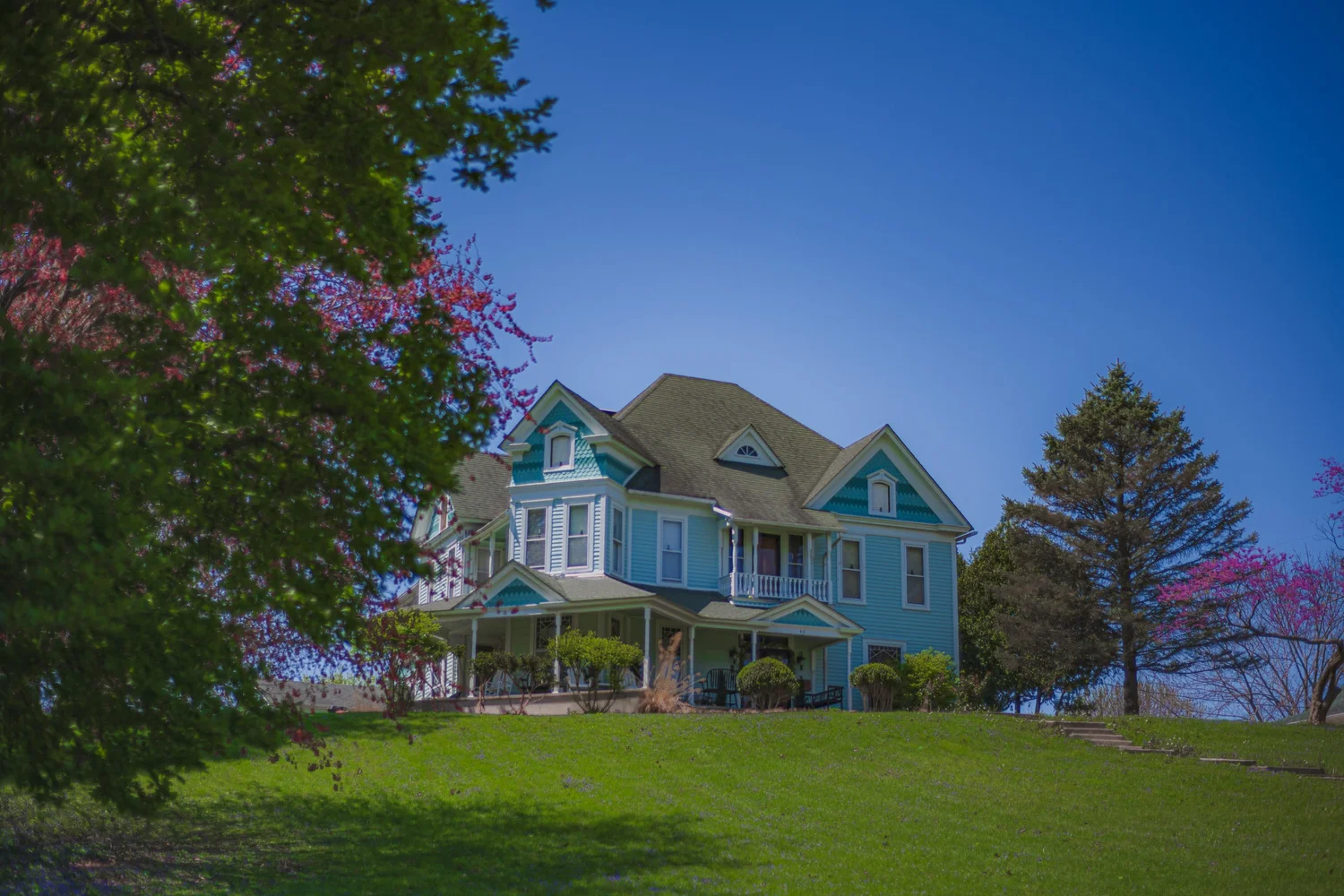
Study this photograph
Look first at what is visibly present: subject placement, background, edge relationships, light direction, and timing. Use those observations before making assumptions about equipment or settings.
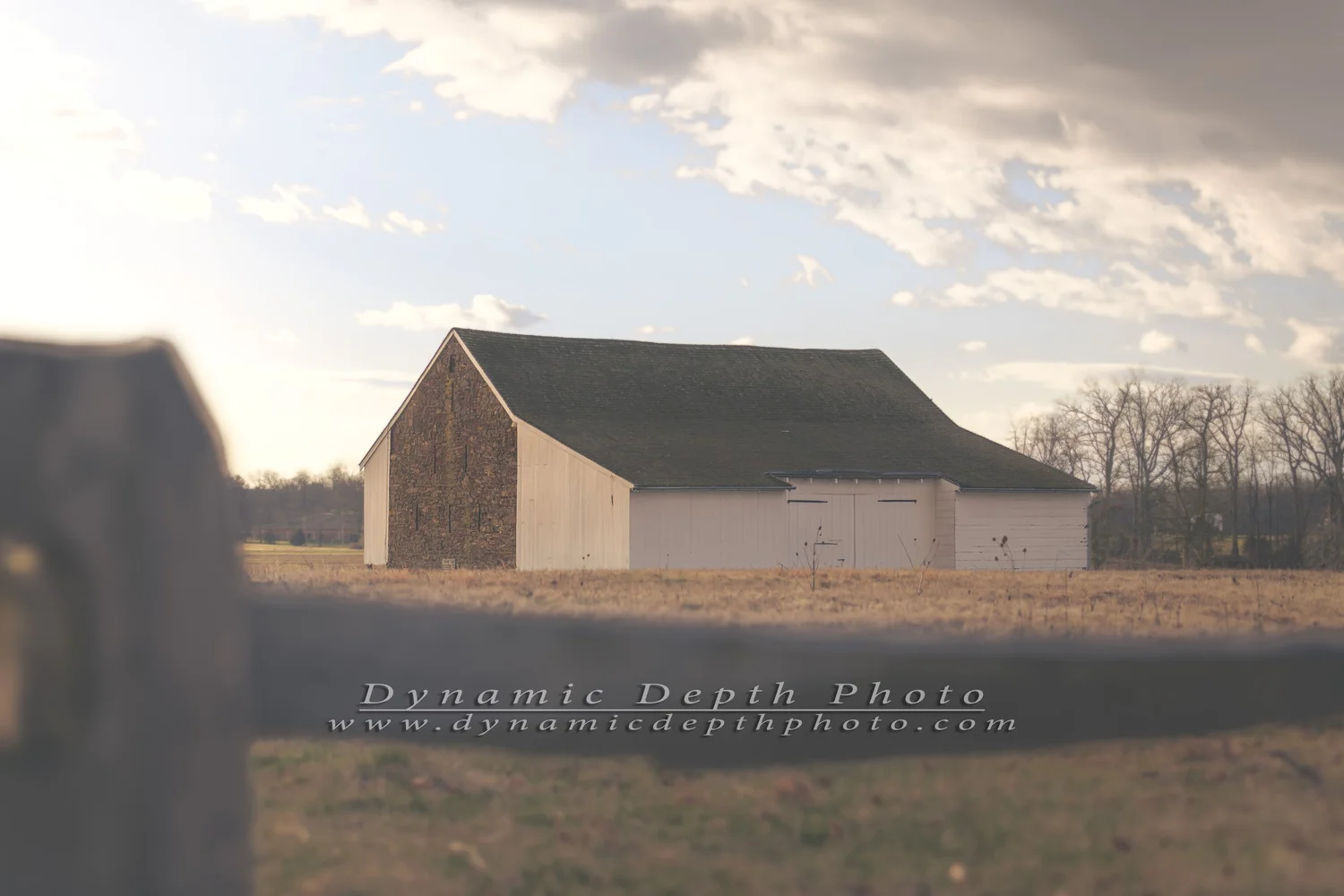
Compare the visual problem
Ask what changed in subject, distance, light, motion, or background. The goal is to identify decisions you can repeat in the field—not to reverse-engineer unverified EXIF data from appearance alone.
Field assignment
Photograph one building three ways: a context frame, a straight descriptive frame, and a detail. Keep a note of your exact position and what each frame explains that the others do not.
Any camera settings shown in future versions of this lesson should come from verified file metadata or photographer notes. The lesson does not infer shutter speed, aperture, ISO, lens, or focal length from appearance alone.
10 · Wildlife & Animal Photography
Learning Center · Animals and behavior
Wildlife & Animal Photography
Make stronger animal photographs by combining ethical distance, patient observation, clean backgrounds, eye-level thinking, and anticipation of behavior.
What to control
Behavior before shutter
Watch first. Repeated movements, feeding patterns, head turns, wing preparation, and interactions can help you anticipate rather than chase the moment.
Background control
A small move left, right, higher, or lower can remove bright distractions and separate the animal from a busy background without disturbing it.
Eyes and body language
Sharp eyes often anchor attention, but posture, wings, ears, feet, and orientation can carry just as much behavioral information.
Ethical distance
Do not crowd, bait, block escape routes, or force a wild animal to change behavior for a photograph. A longer lens is not permission to ignore stress signals.
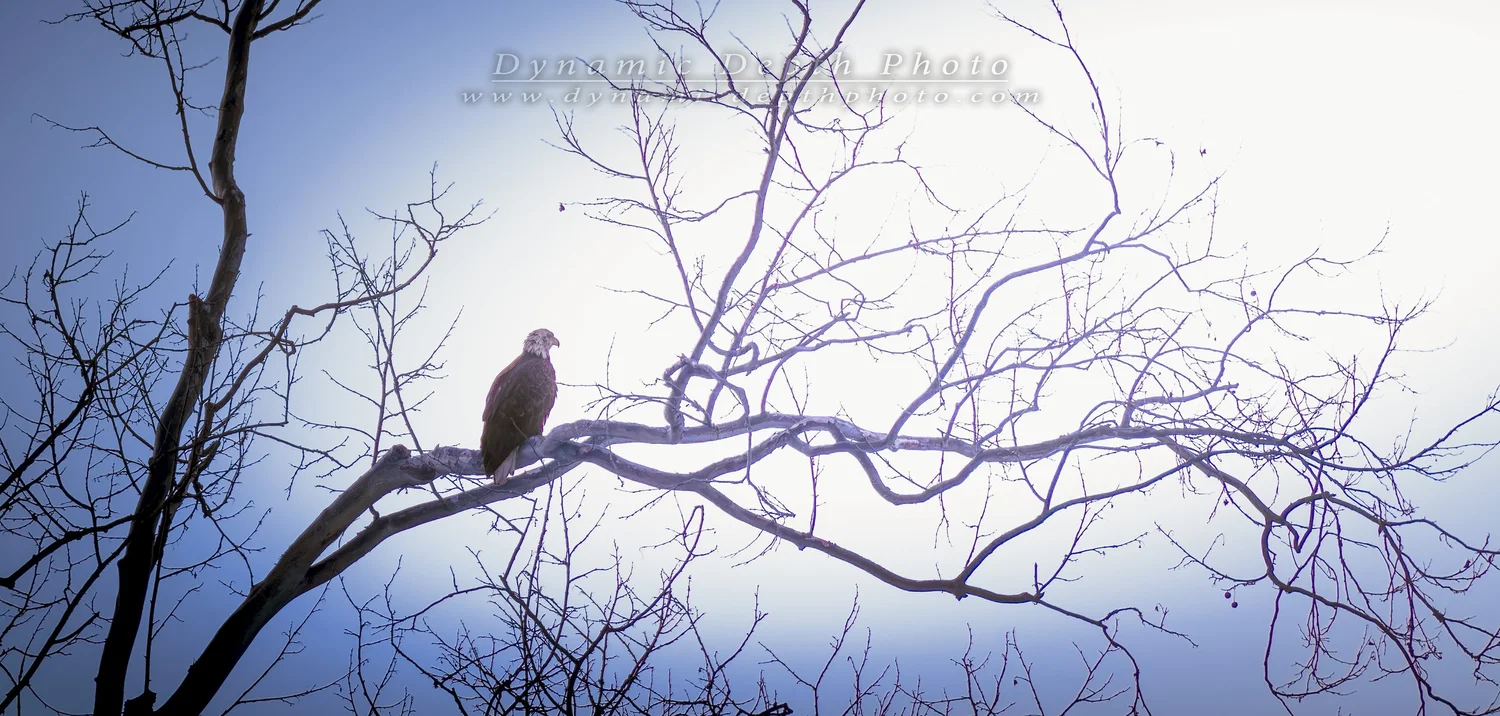
Study this photograph
Look first at what is visibly present: subject placement, background, edge relationships, light direction, and timing. Use those observations before making assumptions about equipment or settings.
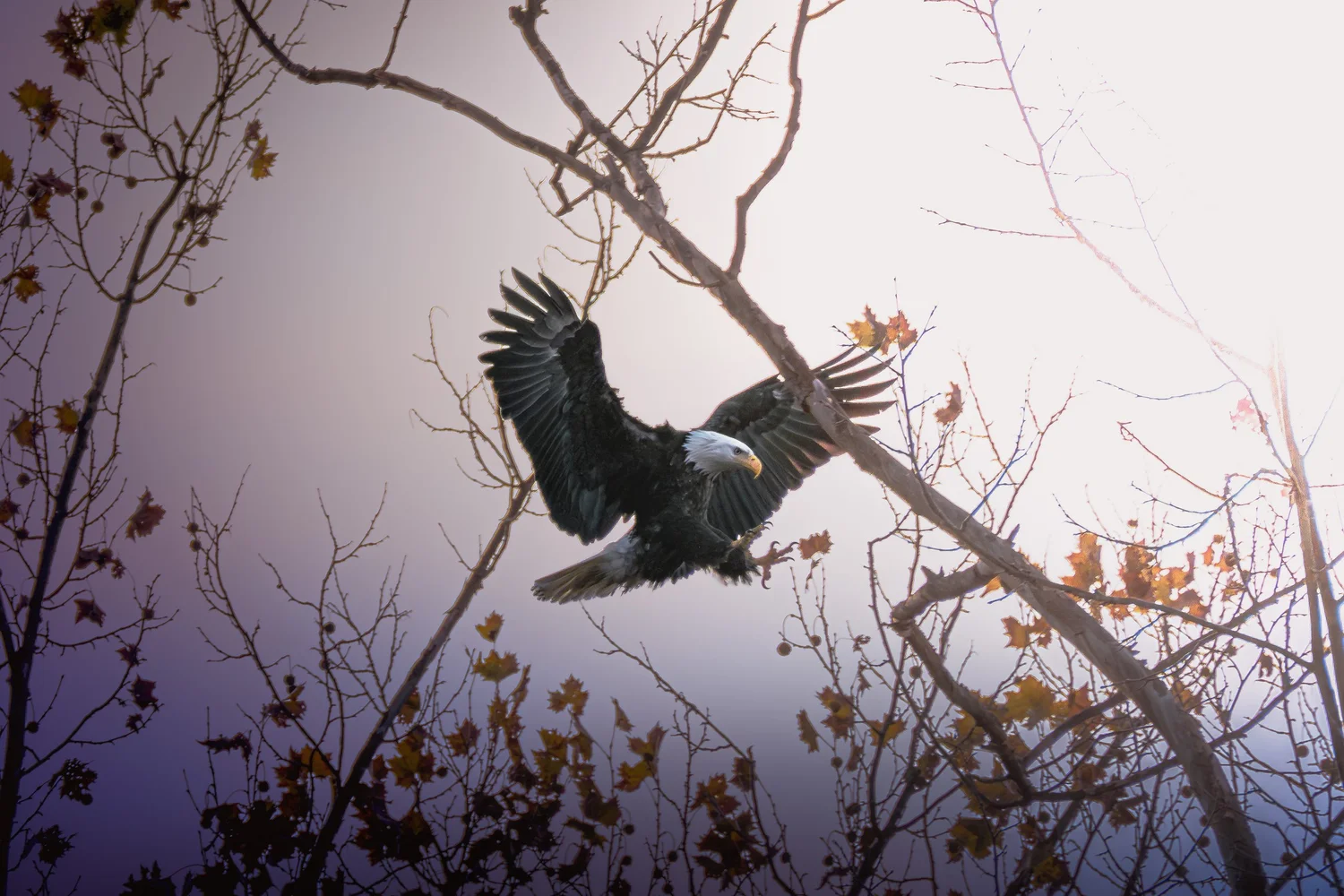
Compare the visual problem
Ask what changed in subject, distance, light, motion, or background. The goal is to identify decisions you can repeat in the field—not to reverse-engineer unverified EXIF data from appearance alone.
Field assignment
Choose one animal subject and spend at least fifteen minutes observing before trying to make your strongest frame. Record the behavior you noticed and which moment you learned to anticipate.
Any camera settings shown in future versions of this lesson should come from verified file metadata or photographer notes. The lesson does not infer shutter speed, aperture, ISO, lens, or focal length from appearance alone.
11 · Event & Concert Photography
Learning Center · Performance and timing
Event & Concert Photography
Treat live performance as a timing problem: changing light, movement, gesture, expression, stage clutter, and audience context all change faster than a static composition.
What to control
Read the rhythm
Songs, speeches, sports, and ceremonies often repeat gestures or build toward predictable peaks. Anticipation gives you cleaner timing than reacting after the moment.
Protect important highlights
Stage LEDs and spotlights can clip faces, instruments, or costumes even when the rest of the frame is dark. Watch the brightest important area, not only the average exposure.
Background as part of the story
Microphones, drums, stage truss, audience silhouettes, and colored light can establish context—but they should support rather than compete with the subject.
Coverage versus hero frames
A complete event needs establishing views, medium interactions, details, and decisive moments. Do not spend the entire event hunting only one kind of image.
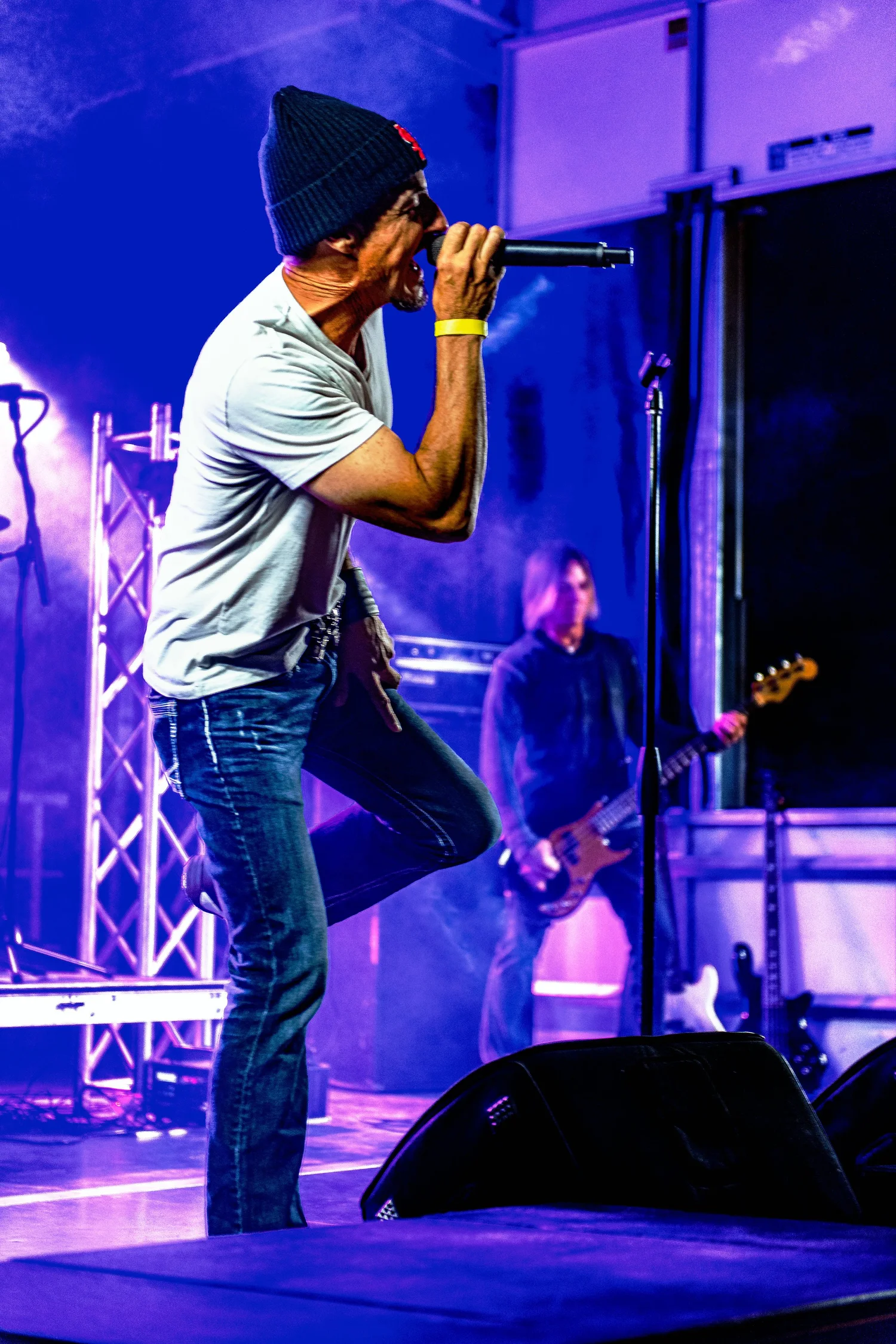
Study this photograph
Look first at what is visibly present: subject placement, background, edge relationships, light direction, and timing. Use those observations before making assumptions about equipment or settings.

Compare the visual problem
Ask what changed in subject, distance, light, motion, or background. The goal is to identify decisions you can repeat in the field—not to reverse-engineer unverified EXIF data from appearance alone.
Field assignment
At a live event, deliberately make four types of photographs: establishing scene, medium interaction, tight detail, and peak gesture. Review which category was hardest and why.
Any camera settings shown in future versions of this lesson should come from verified file metadata or photographer notes. The lesson does not infer shutter speed, aperture, ISO, lens, or focal length from appearance alone.
12 · Portraits: Light, Background & Expression
Learning Center · People
Portraits: Light, Background & Expression
Portrait strength comes from the relationship between expression, light, background, body position, and camera position—not from shallow depth of field alone.
What to control
Expression first
A technically perfect portrait can still feel empty. Watch for changes in eyes, mouth, posture, hands, and attention, and give the subject room to settle into a natural expression.
Background cleanup
Check the frame edges and the area directly behind the head and shoulders. Small changes in camera position can remove poles, bright patches, branches, or color conflicts.
Light direction
Turn the subject or move yourself to see how the same light shapes the face. Front, side, open shade, window light, and backlight each change form and mood.
Distance and comfort
Camera distance affects both perspective and the subject’s experience. Respect personal space and communicate before moving closer or changing posing direction.
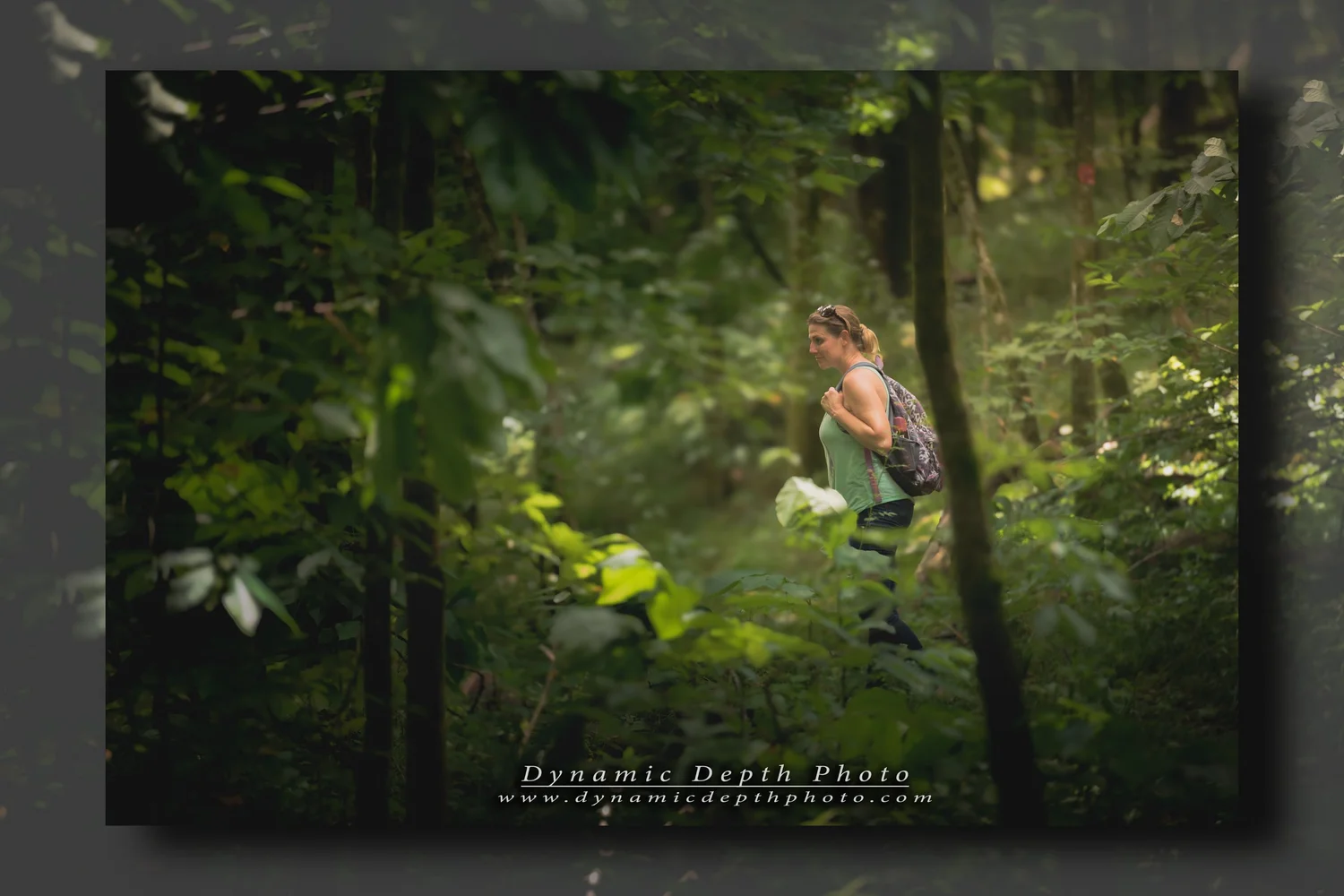
Study this photograph
Look first at what is visibly present: subject placement, background, edge relationships, light direction, and timing. Use those observations before making assumptions about equipment or settings.
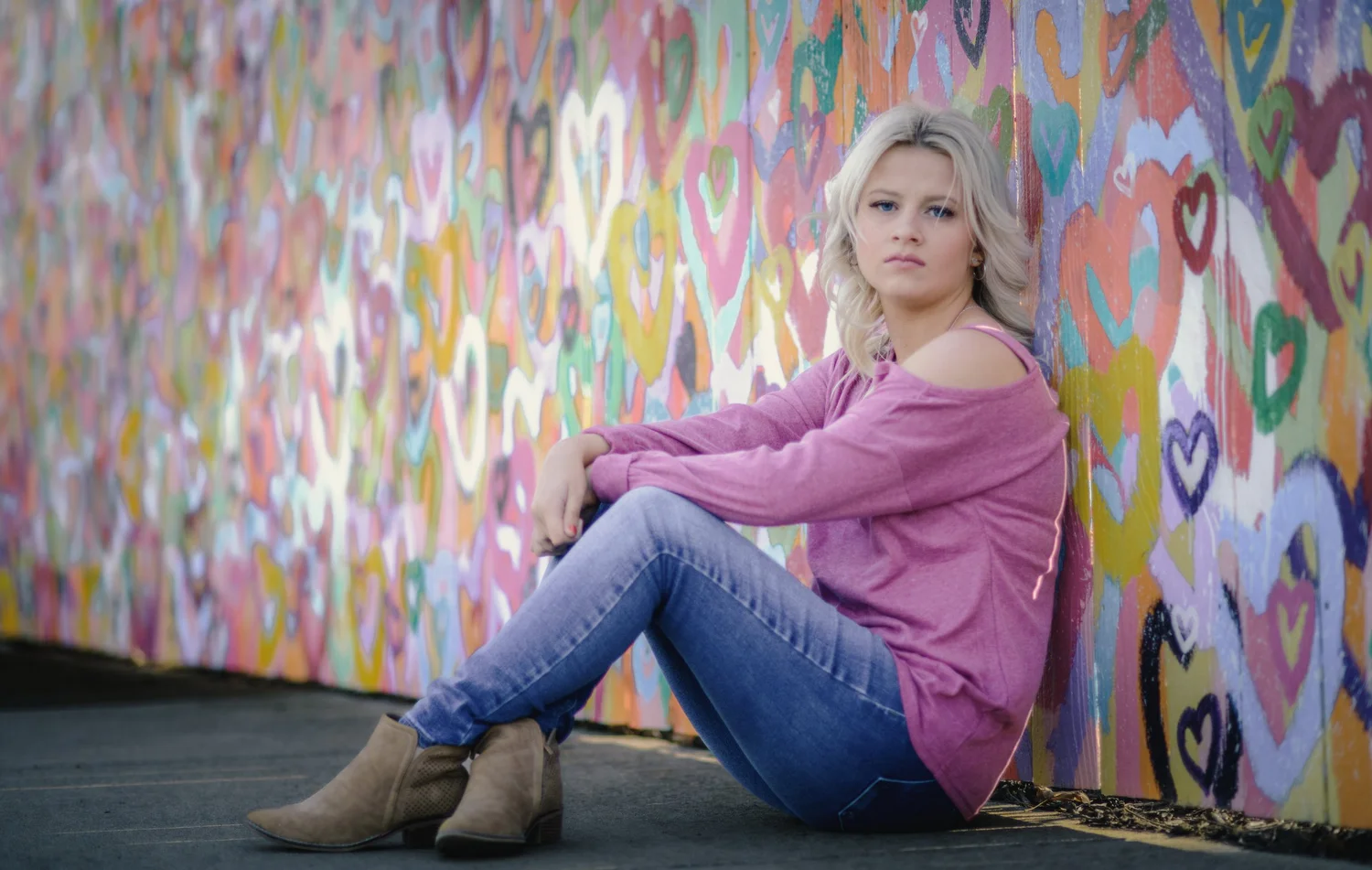
Compare the visual problem
Ask what changed in subject, distance, light, motion, or background. The goal is to identify decisions you can repeat in the field—not to reverse-engineer unverified EXIF data from appearance alone.
Field assignment
Make a short portrait sequence without changing location. Change only your camera position and the subject’s orientation to the light. Compare expression and background before comparing technical sharpness.
Any camera settings shown in future versions of this lesson should come from verified file metadata or photographer notes. The lesson does not infer shutter speed, aperture, ISO, lens, or focal length from appearance alone.
13 · Weather & Atmosphere
Learning Center · Landscape conditions
Weather & Atmosphere
Mist, storm light, cloud structure, haze, rain, and changing visibility can simplify a scene, reveal layers, or create difficult exposure problems. Treat them as information in the landscape.
What to control
Watch transitions
The strongest light may last seconds. Study edges of storms, openings in cloud cover, clearing fog, and the period immediately before or after rain.
Use depth cues
Mist and haze reduce contrast with distance. That can create clear layers if foreground, middle ground, and background overlap deliberately.
Protect the sky when it matters
Bright openings around the sun can exceed the scene’s usable range. Decide whether the sky or land contains the detail most important to the photograph.
Safety before image
Lightning, flooding, high wind, ice, traffic, and unstable terrain are not photographic challenges to “push through.” Change position or stop when conditions become unsafe.
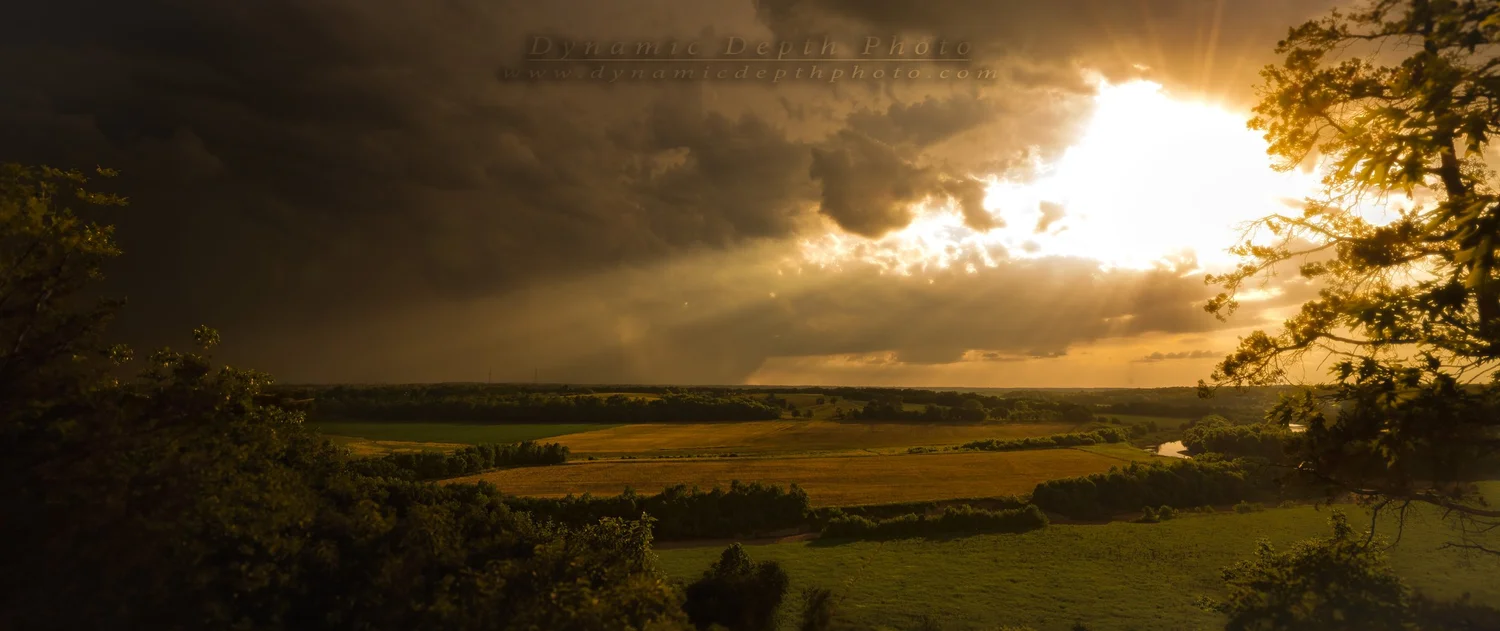
Study this photograph
Look first at what is visibly present: subject placement, background, edge relationships, light direction, and timing. Use those observations before making assumptions about equipment or settings.

Compare the visual problem
Ask what changed in subject, distance, light, motion, or background. The goal is to identify decisions you can repeat in the field—not to reverse-engineer unverified EXIF data from appearance alone.
Field assignment
Return to one familiar landscape in two different weather conditions. Keep the viewpoint as consistent as practical and compare which shapes, layers, colors, and distractions appear or disappear.
Any camera settings shown in future versions of this lesson should come from verified file metadata or photographer notes. The lesson does not infer shutter speed, aperture, ISO, lens, or focal length from appearance alone.
14 · Editing with Intent
Learning Center · Post-processing
Editing with Intent
Use post-processing to make the recorded photograph clearer and more coherent while keeping a disciplined boundary between photographic adjustment and invented scene content.
What to control
Correct before stylizing
Start with exposure, white balance, crop, lens corrections where appropriate, and tonal balance. Solve technical problems before adding a look.
Local adjustments need a reason
Dodging, burning, masks, and selective color can guide attention, but every local change should answer a visible problem rather than simply making everything more dramatic.
Protect texture and transitions
Aggressive clarity, sharpening, denoise, saturation, and HDR can create halos, plastic textures, clipped color, or unnatural transitions. Inspect at both fit-to-screen and 100%.
Keep provenance clear
If a photograph has generative additions, removals, or composites, treat that as a different class of work and label it accordingly. Do not present invented content as an unaltered documentary photograph.
Study this photograph
Look first at what is visibly present: subject placement, background, edge relationships, light direction, and timing. Use those observations before making assumptions about equipment or settings.

Compare the visual problem
Ask what changed in subject, distance, light, motion, or background. The goal is to identify decisions you can repeat in the field—not to reverse-engineer unverified EXIF data from appearance alone.
Field assignment
Take one finished photograph and make three copies of your edit: correction-only, restrained interpretation, and intentionally excessive. Compare where the excessive version first stops looking believable, and write down which adjustment caused it.
Any camera settings shown in future versions of this lesson should come from verified file metadata or photographer notes. The lesson does not infer shutter speed, aperture, ISO, lens, or focal length from appearance alone.
15 · Composition Beyond the Rule of Thirds
Learning Center · Advanced practice
Composition Beyond the Rule of Thirds
Move beyond a single grid and use balance, visual weight, edges, repetition, negative space, and relationships between subjects to organize the frame.
What to control
Balance and visual weight
Bright areas, faces, strong color, high contrast, and isolated objects can pull attention. Balance does not require symmetry; it requires understanding where the eye is likely to go.
Edges matter
Scan every edge before pressing the shutter. Half-cut objects, bright slivers, and awkward tangencies can weaken an otherwise strong composition.
Repetition and interruption
Patterns create order. A deliberate interruption—a different shape, color, or direction—can become the subject without needing to sit on a thirds intersection.
Negative space
Empty areas are active parts of a composition. Use them to create scale, quiet, direction, or room for a subject to face or move into.
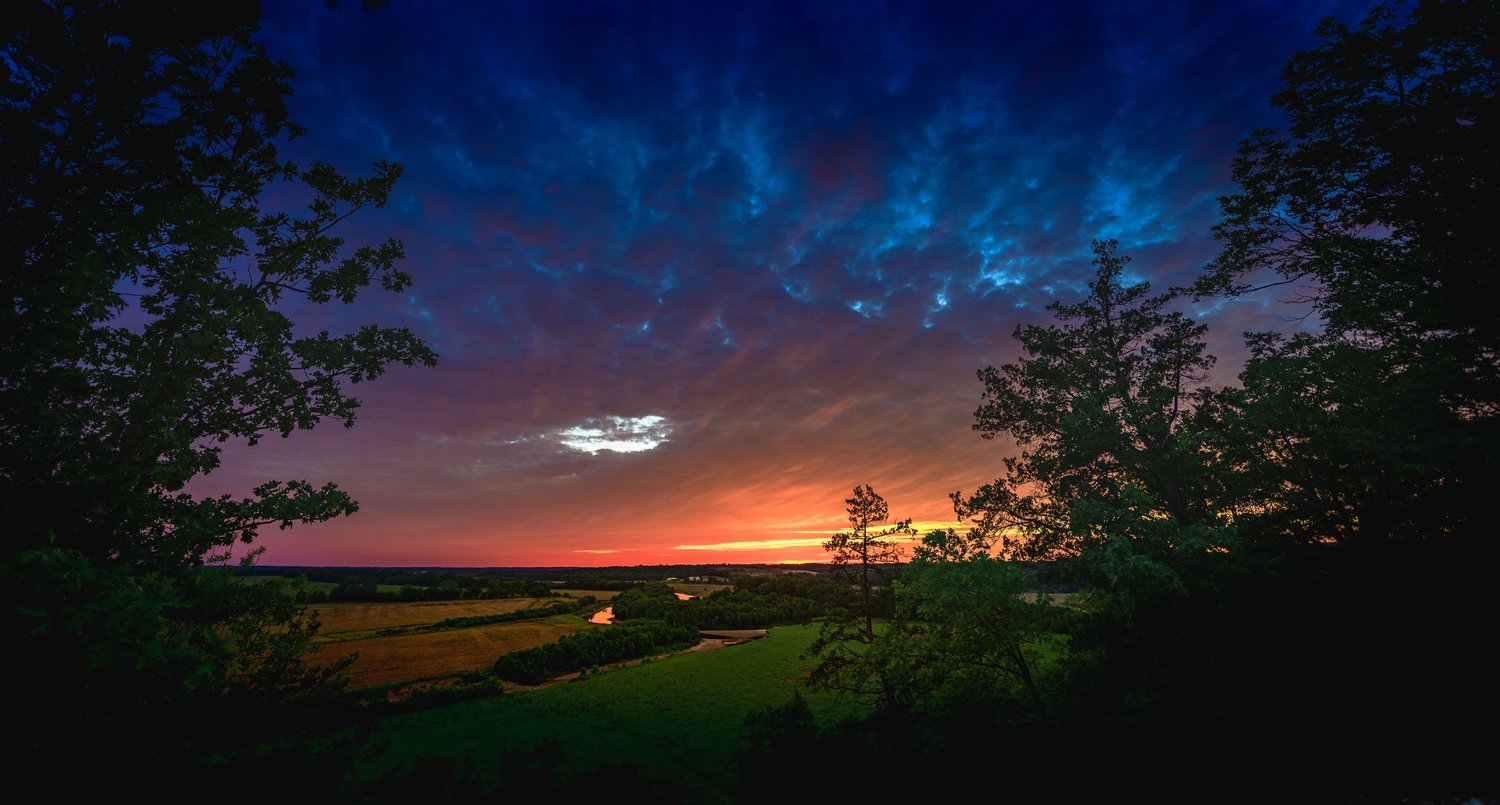
Study this photograph
Begin with visible evidence: subject placement, edge relationships, tonal separation, background, timing, and the direction of attention. Then ask which decisions make the frame easier to read.
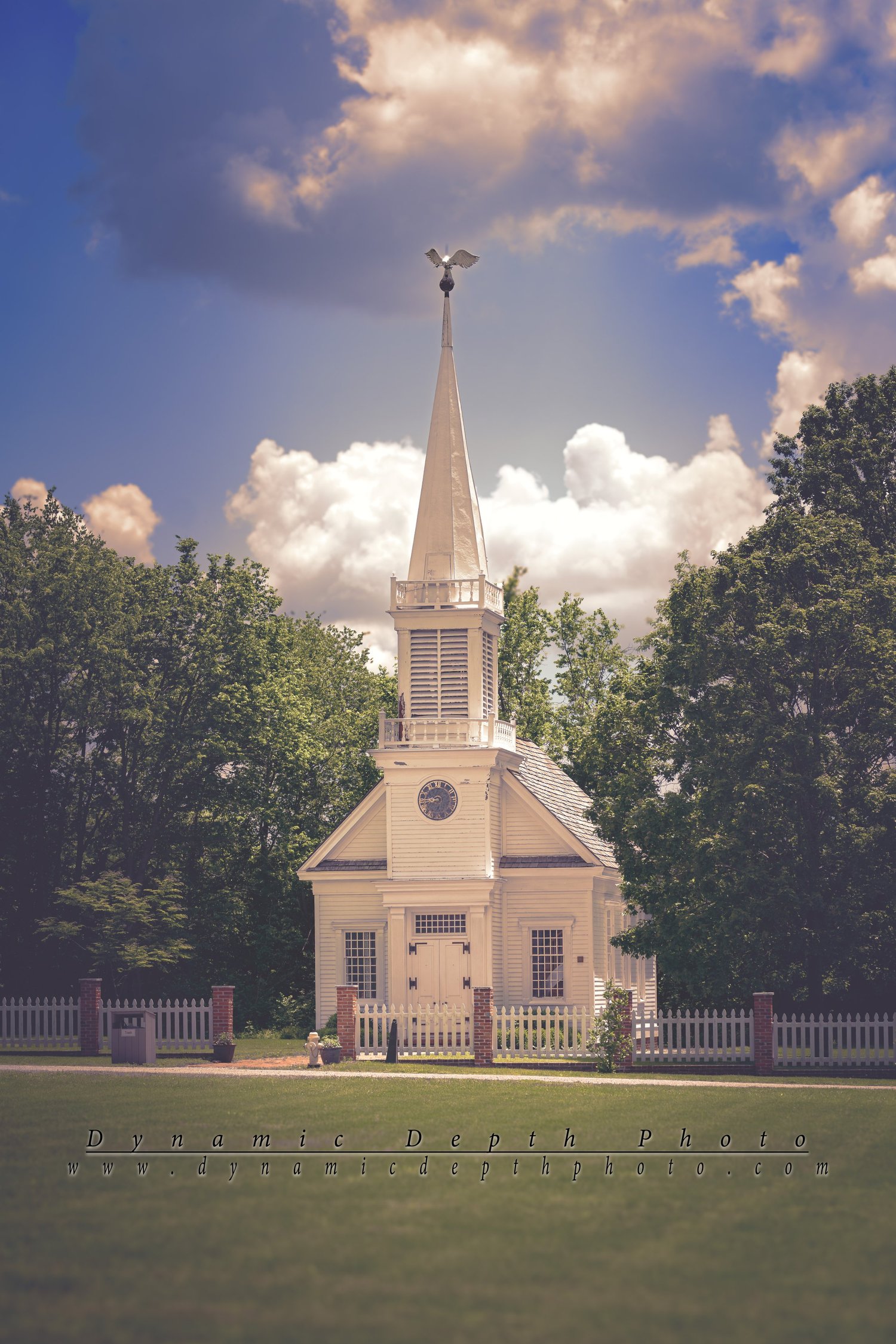
Compare a different problem
Look for what changes when subject, distance, movement, surface, light, or intended use changes. The goal is a repeatable decision process, not a rule that forces unlike photographs into the same solution.
Field assignment
Make five versions of one scene without using a thirds grid: centered, strongly asymmetrical, layered, pattern-based, and dominated by negative space. Compare which version best serves the subject.
Camera settings are not inferred from appearance. Any future shutter speed, aperture, ISO, lens, or focal-length examples should come from verified file metadata or photographer notes.
16 · Motion & Peak Action
Learning Center · Advanced practice
Motion & Peak Action
Choose whether motion should be frozen, implied, or intentionally blurred—and learn to anticipate the instant when gesture and position say the most.
What to control
Anticipate instead of react
In sports and performance, watch for repeated movement and learn the rhythm. Pre-position the frame so the decisive gesture enters an already organized composition.
Freeze or describe motion
A sharp subject can emphasize expression and body position. Intentional blur can describe speed. The choice should support the story rather than result from accident.
Gesture over clutter
Peak action is not always the largest movement. A hand, face, instrument position, slide, jump, or interaction can carry more meaning than a frame filled with activity.
Leave movement room
When a subject is moving, consider where the motion is headed. Space in front of the subject often helps the viewer feel continuation rather than collision with the frame edge.

Study this photograph
Begin with visible evidence: subject placement, edge relationships, tonal separation, background, timing, and the direction of attention. Then ask which decisions make the frame easier to read.

Compare a different problem
Look for what changes when subject, distance, movement, surface, light, or intended use changes. The goal is a repeatable decision process, not a rule that forces unlike photographs into the same solution.
Field assignment
Choose a repeated action—a runner, musician, vehicle, animal, or person at work. Make a sequence and select the single frame where position, expression, background, and gesture align most clearly.
Camera settings are not inferred from appearance. Any future shutter speed, aperture, ISO, lens, or focal-length examples should come from verified file metadata or photographer notes.
17 · Close-Up & Detail Photography
Learning Center · Advanced practice
Close-Up & Detail Photography
Use small details to describe texture, craft, shape, and identity while keeping backgrounds and edges from weakening the subject.
What to control
Decide what the detail explains
A close-up should reveal something: texture, construction, wear, food preparation, typography, craftsmanship, or a distinguishing feature.
Control the background
At close range, small changes in camera position can radically change the background. Move before relying on shallow depth of field to hide distractions.
Watch the frame edges
Details are especially vulnerable to awkward cuts. Decide deliberately whether a shape continues beyond the frame or is contained inside it.
Use light for texture
Side light emphasizes relief and surface. Broad light can reduce harsh reflections. Change the light or viewpoint to describe the material instead of merely making it brighter.

Study this photograph
Begin with visible evidence: subject placement, edge relationships, tonal separation, background, timing, and the direction of attention. Then ask which decisions make the frame easier to read.
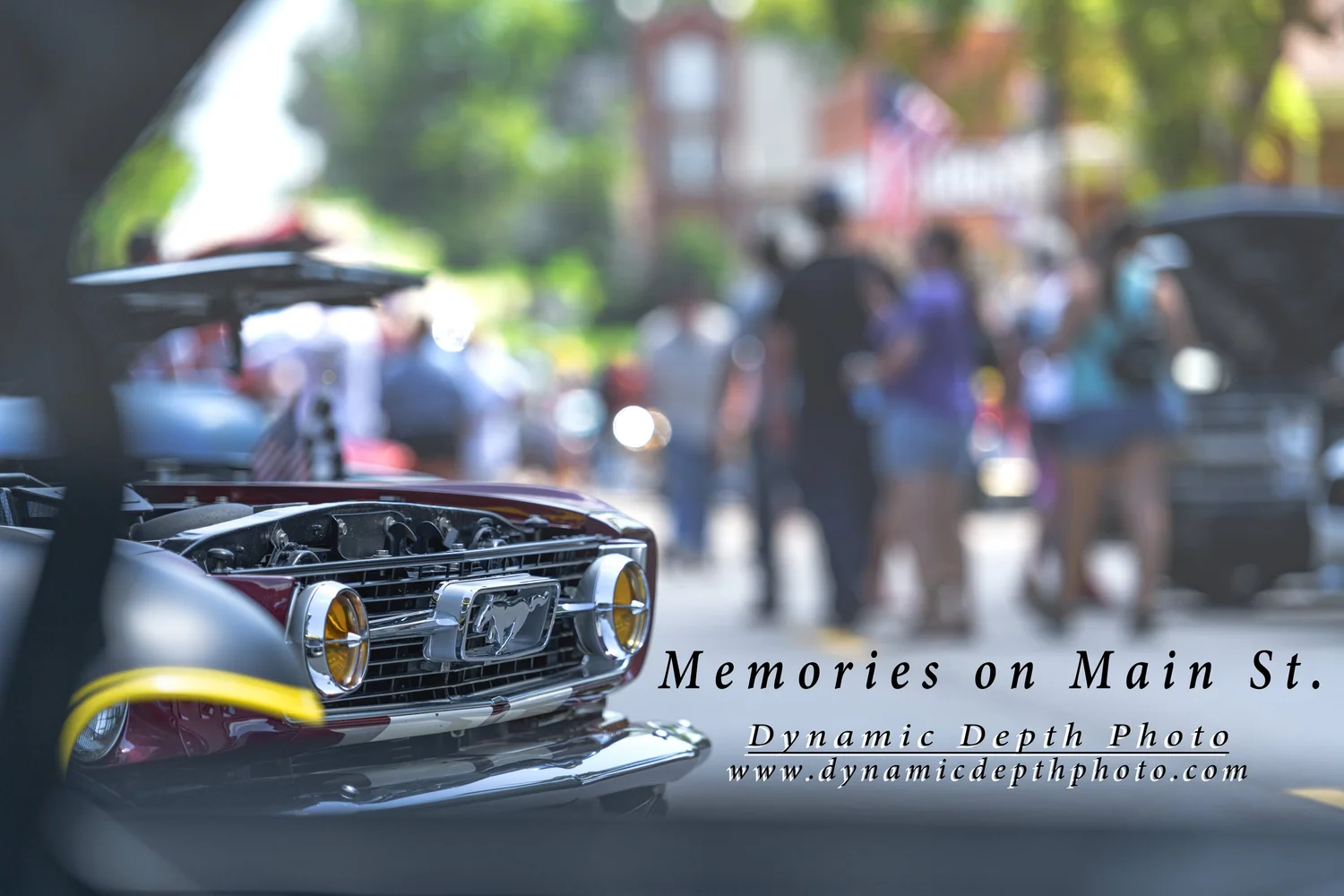
Compare a different problem
Look for what changes when subject, distance, movement, surface, light, or intended use changes. The goal is a repeatable decision process, not a rule that forces unlike photographs into the same solution.
Field assignment
Pick one subject and make a six-frame detail study: overall view, texture, functional detail, repeated pattern, wear/imperfection, and one abstract composition. Together the six images should explain more than any single close-up.
Camera settings are not inferred from appearance. Any future shutter speed, aperture, ISO, lens, or focal-length examples should come from verified file metadata or photographer notes.
18 · Reflections, Layers & Depth
Learning Center · Advanced practice
Reflections, Layers & Depth
Build depth with foreground, middle distance, background, reflections, transparency, and repeated layers without making the frame visually confusing.
What to control
Build foreground-to-background relationships
Foreground elements can establish place and scale, but they should lead into the frame rather than become accidental barriers.
Treat reflections as subjects
A reflection can repeat, simplify, distort, or balance the primary scene. Watch where the reflected horizon and bright areas intersect the real subject.
Separate overlapping layers
When several planes overlap, use tone, color, focus, or position to keep them readable. If all layers merge into the same value, depth can disappear.
Move inches, not only feet
With layered scenes, a very small camera movement can separate branches, signs, faces, reflections, or architectural lines. Fine positioning is often more important than changing focal length.
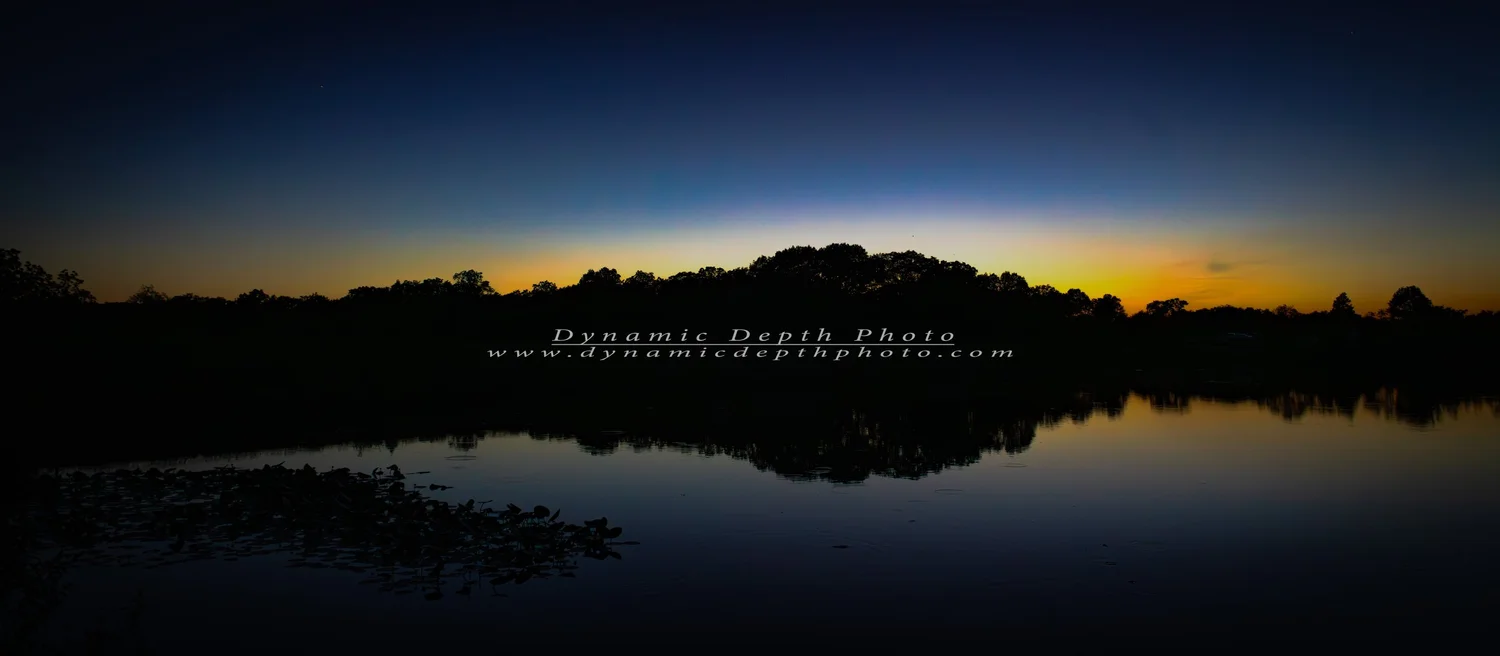
Study this photograph
Begin with visible evidence: subject placement, edge relationships, tonal separation, background, timing, and the direction of attention. Then ask which decisions make the frame easier to read.

Compare a different problem
Look for what changes when subject, distance, movement, surface, light, or intended use changes. The goal is a repeatable decision process, not a rule that forces unlike photographs into the same solution.
Field assignment
Find a scene with at least three visible depth layers. Make one frame emphasizing foreground, one emphasizing the middle distance, and one where a reflection or transparent surface becomes an additional layer.
Camera settings are not inferred from appearance. Any future shutter speed, aperture, ISO, lens, or focal-length examples should come from verified file metadata or photographer notes.
19 · Cropping & Aspect Ratio
Learning Center · Advanced practice
Cropping & Aspect Ratio
Treat crop and aspect ratio as compositional decisions: protect important edges, preserve breathing room, and understand what changes when the same photograph must fit different formats.
What to control
Start with the intended use
A panoramic wall print, square social preview, vertical page, and standard photographic print ask for different shapes. Know which parts of the photograph are non-negotiable before cropping.
Protect gesture and direction
Do not crowd a face, hand, vehicle, animal, or horizon against an edge without purpose. Preserve room where the subject looks or moves when that space contributes to the image.
Crop distractions before subjects
First ask whether a small edge distraction can be removed without harming balance. Avoid solving every problem by cutting deeply into the main subject.
Re-evaluate after every ratio change
Changing ratio changes the distribution of visual weight. A successful 3:2 frame is not automatically successful as a square or 16:9 crop.
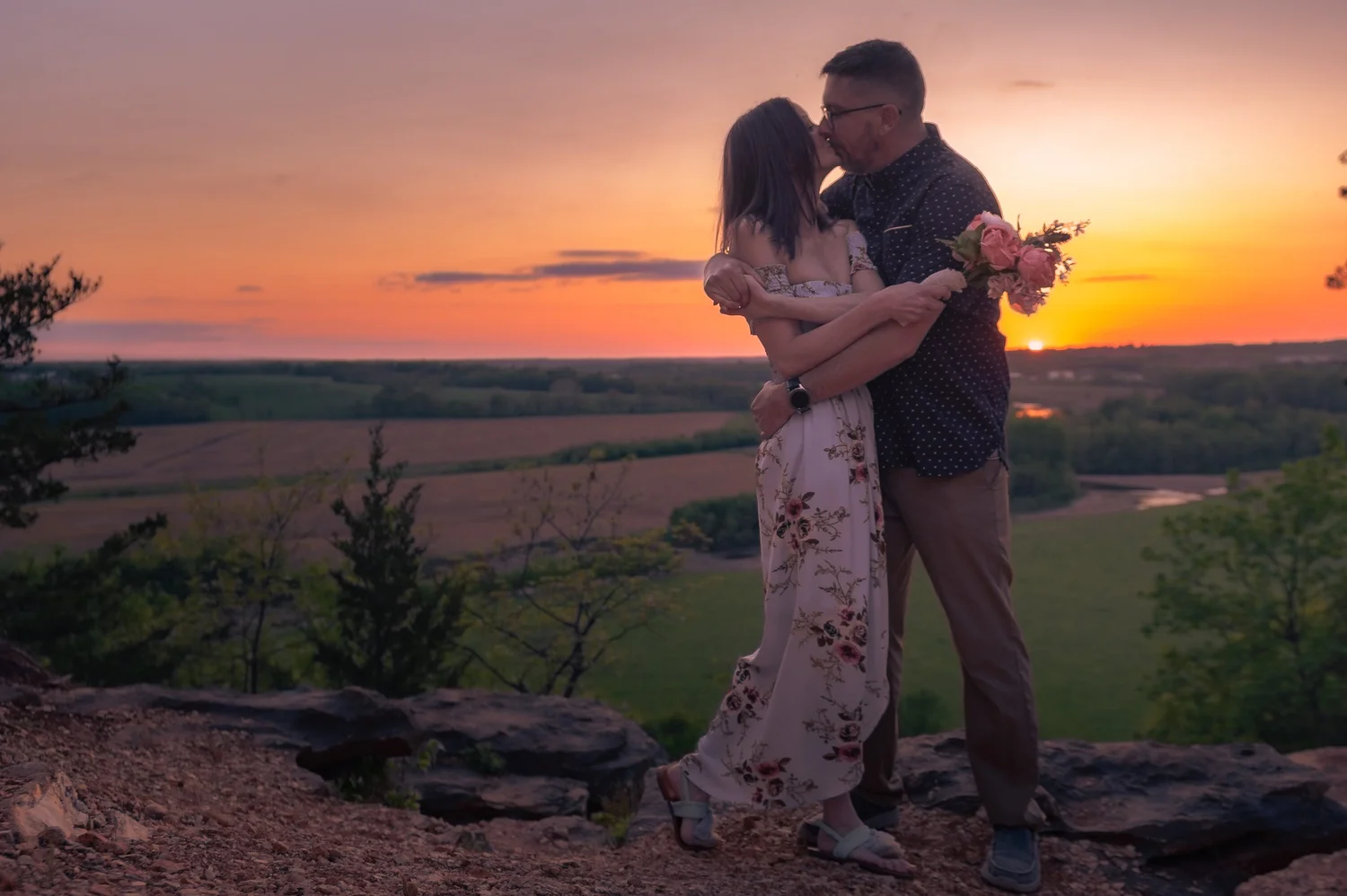
Study this photograph
Begin with visible evidence: subject placement, edge relationships, tonal separation, background, timing, and the direction of attention. Then ask which decisions make the frame easier to read.

Compare a different problem
Look for what changes when subject, distance, movement, surface, light, or intended use changes. The goal is a repeatable decision process, not a rule that forces unlike photographs into the same solution.
Field assignment
Take one finished photograph and create three non-destructive crops: original ratio, square, and wide. Write one sentence explaining what each crop gains and what it sacrifices. Keep the original untouched.
Camera settings are not inferred from appearance. Any future shutter speed, aperture, ISO, lens, or focal-length examples should come from verified file metadata or photographer notes.
20 · Building a Cohesive Portfolio
Learning Center · Advanced practice
Building a Cohesive Portfolio
Edit a body of work for sequence, visual rhythm, subject variety, repetition, and purpose so the photographs work together rather than competing as isolated favorites.
What to control
Define the portfolio’s job
A portfolio can demonstrate range, tell one story, support print sales, document a place, or establish a visual specialty. Selection becomes easier when its purpose is explicit.
Sequence for rhythm
Alternate scale, distance, density, color, and subject type so consecutive images have a reason to sit together. Avoid long runs of nearly identical frames unless repetition is itself the point.
Remove duplicates ruthlessly
Two good photographs can weaken each other if they make the same visual argument. Keep the stronger frame or give each image a distinct role.
Open and close intentionally
The first image establishes expectations. The last image should feel like a conclusion, echo, question, or release—not simply the final file in a folder.
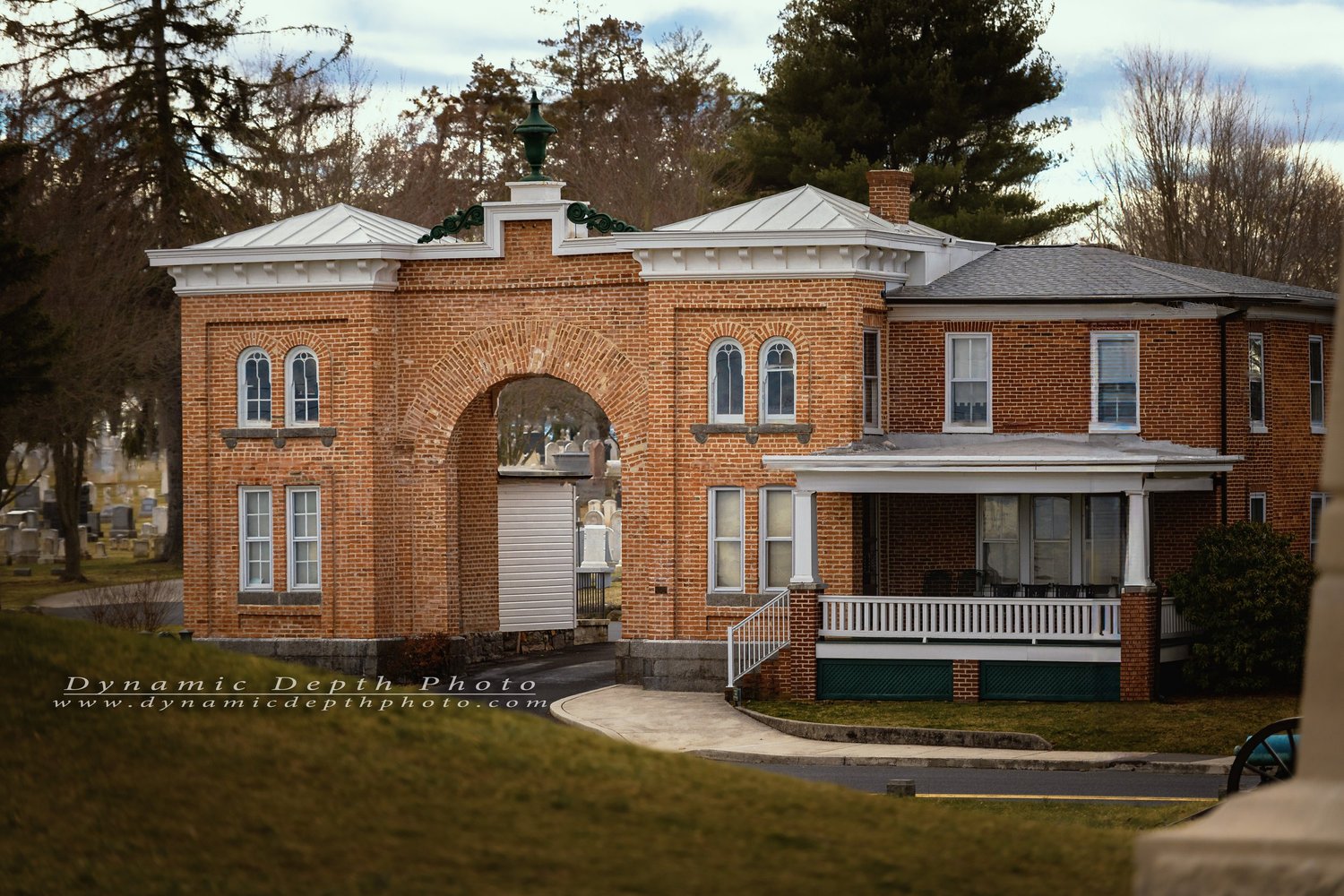
Study this photograph
Begin with visible evidence: subject placement, edge relationships, tonal separation, background, timing, and the direction of attention. Then ask which decisions make the frame easier to read.
Compare a different problem
Look for what changes when subject, distance, movement, surface, light, or intended use changes. The goal is a repeatable decision process, not a rule that forces unlike photographs into the same solution.
Field assignment
Choose 12 photographs from one subject or place. Cut them to eight, arrange a sequence, then remove two more. For every surviving image, state its unique job in the six-image portfolio.
Camera settings are not inferred from appearance. Any future shutter speed, aperture, ISO, lens, or focal-length examples should come from verified file metadata or photographer notes.
Expanded curriculum
Beginner lessons
Expanded curriculum
Intermediate lessons
Expanded curriculum